
Enable access controls
Grant ResourceHub the Shopify access it needs, then choose your library mode.
Business plan
How setup works
There are two steps: first, grant ResourceHub access to the customer data needed to apply visibility rules such as customer tags. Then choose your library mode.
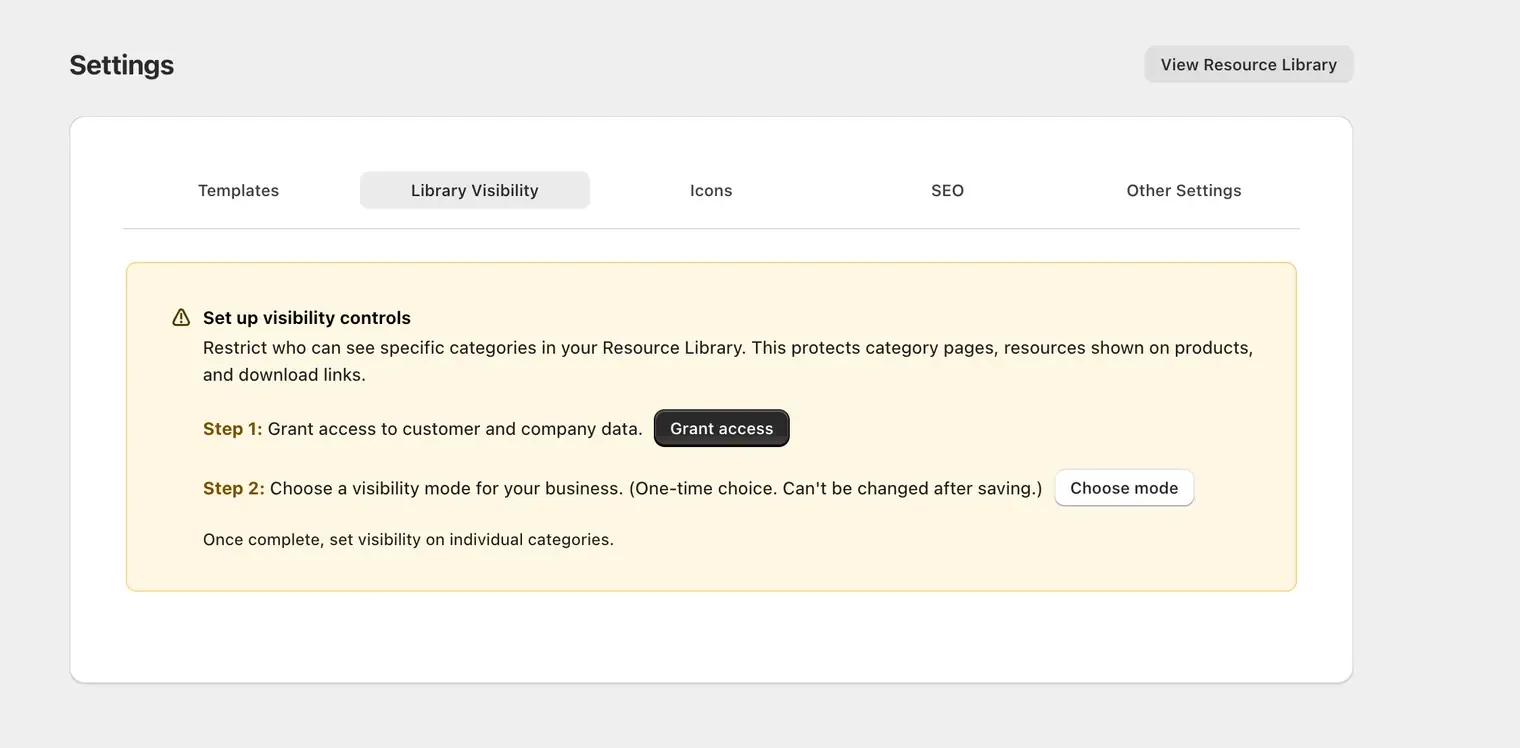
Settings › Library Visibility, where both setup steps live.
Grant access
- Go to Settings › Library Visibility.
- Click Grant access.
- Shopify will ask you to approve View customers and Edit companies.
- Approve the access to continue.
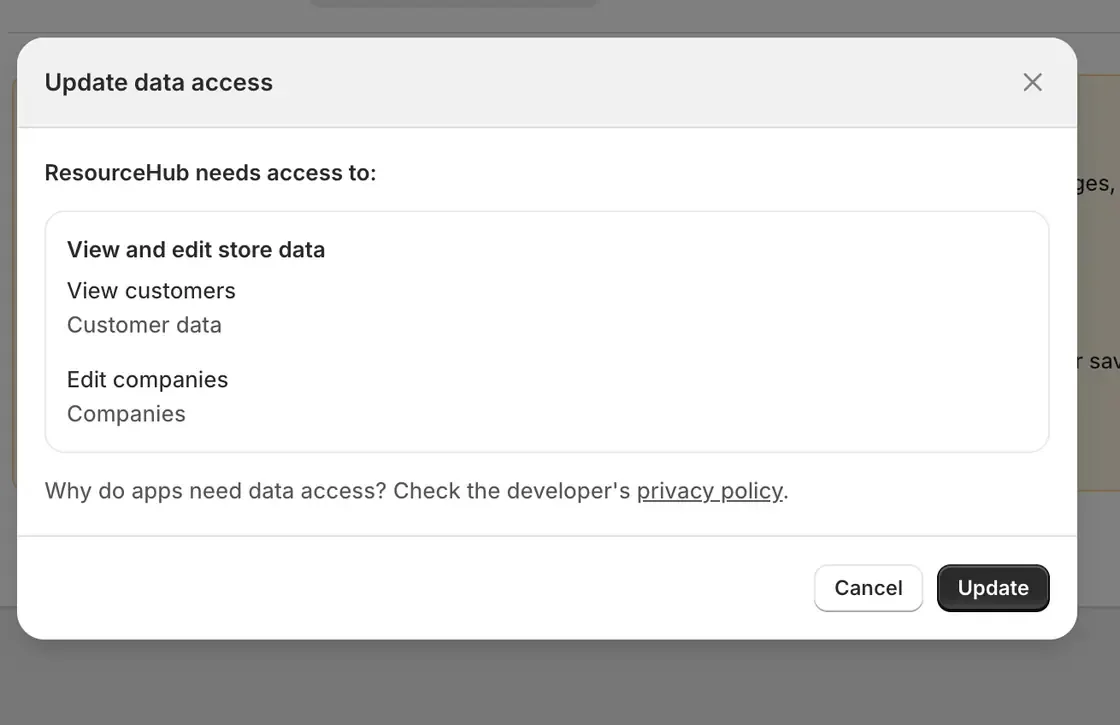
Shopify asks you to approve the customer and company data access.
Choose your library mode
- Return to Settings › Library Visibility.
- Click Choose mode.
- Select Public, Public with Visibility Controls, or Private with Visibility Controls.
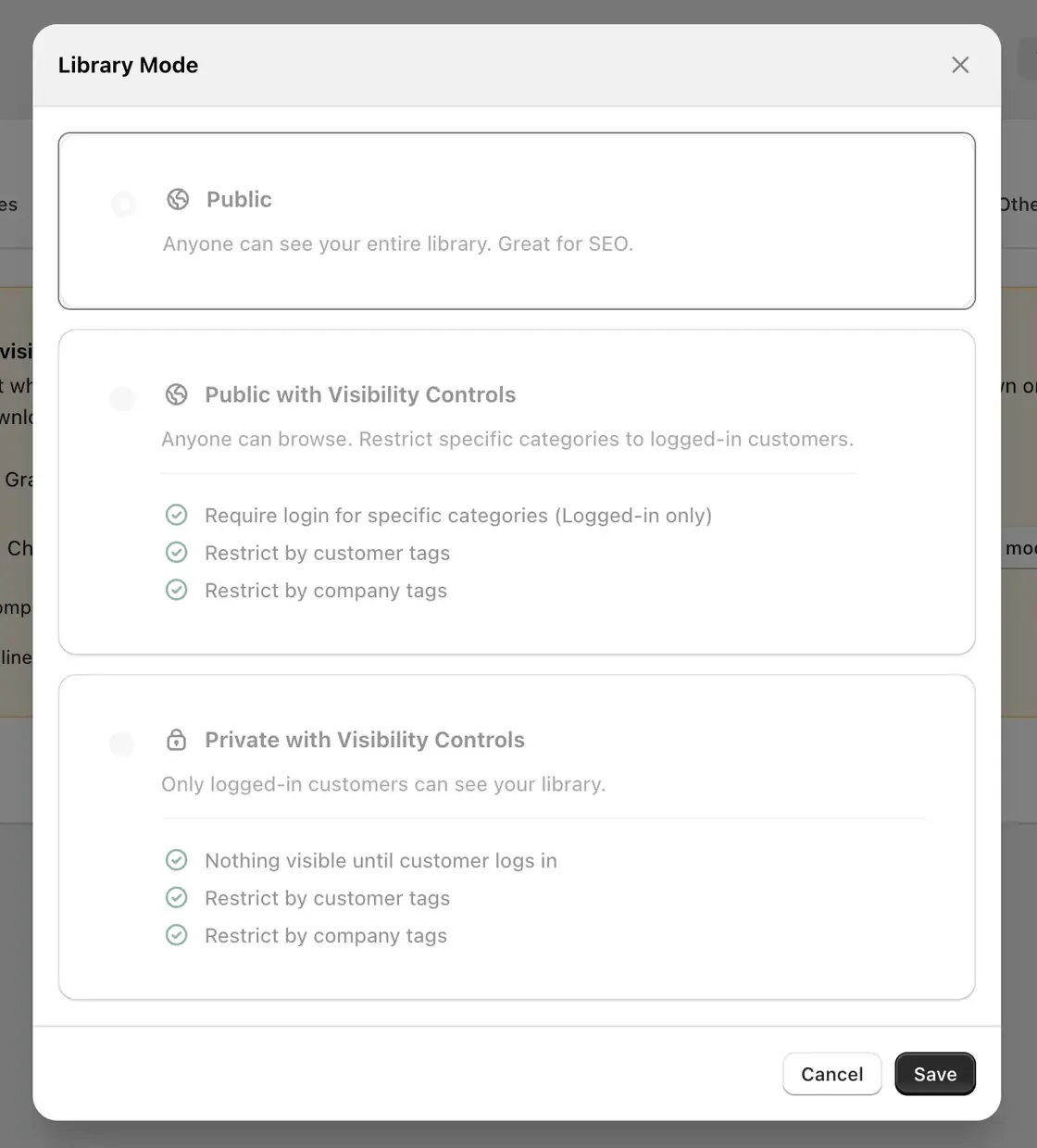
Each mode lists exactly what it allows before you commit.
One-time choice
This is a one-time choice. You cannot change your library mode after you save.
- Save your library mode.